

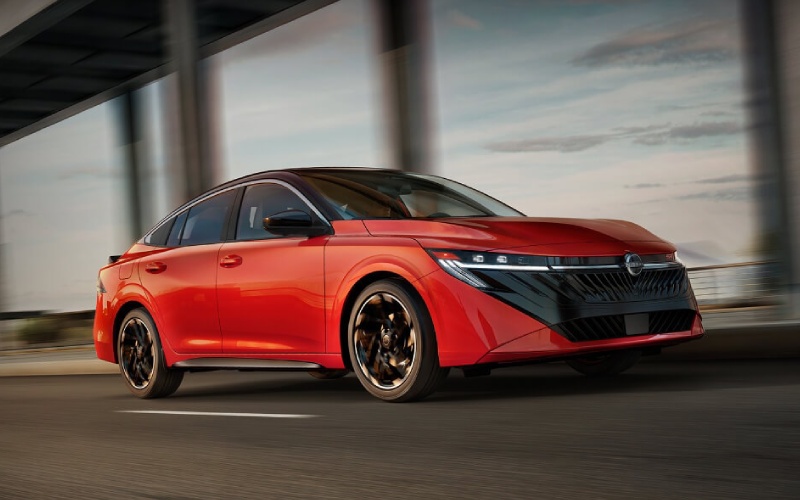
Escude Nissan of Greer - Wireless Apple CarPlay & Android Auto in the 2026 Nissan Sentra near Spartanburg, SC
For many shoppers near Spartanburg, SC, the make-or-break question with a new compact sedan is simple: can it keep you connected without a tangle of cables? The 2026 Nissan Sentra® answers with available wireless Apple CarPlay® and Android Auto™ plus a suite of NissanConnect® Services that make daily driving around I-85, I-26, and Wade Hampton Boulevard feel smarter and simpler.
At Escude Nissan of Greer, we help drivers pair phones, personalize settings, and get the most out of the Sentra’s technology from day one. Below, we break down exactly how the 2026 Sentra handles wireless smartphone integration, what you need to use it, and how these features improve real-life ownership in and around Spartanburg.
What “wireless” really means in the 2026 Sentra
Wireless Apple CarPlay and Android Auto in the 2026 Sentra mean you can connect a compatible iPhone® or Android smartphone without plugging in a USB cable. After initial pairing, your favorite apps for navigation, calls, texts, podcasts, and playlists can appear on the Sentra’s NissanConnect® display automatically when you start the car — and voice assistants let you keep your hands on the wheel and eyes on the road.
This wireless integration is complemented by thoughtful hardware and software throughout the cabin. The available monolith display with integrated 12.3-inch dual screens places maps and media clearly in your line of sight, while steering-wheel controls make it easy to adjust volume, accept a call, or cue up the next track as you cruise past downtown Spartanburg or head toward Boiling Springs.
How to set up wireless Apple CarPlay or Android Auto
The pairing process is quick, and our team can walk you through it when you visit. Here’s an overview to show how simple it is to go cable-free.
- Start the car: Park your 2026 Sentra and power on the NissanConnect® infotainment system.
- Open settings on your phone: Turn on Bluetooth and Wi-Fi, and make sure your device is discoverable.
- Pair via NissanConnect®: On the vehicle screen, choose Add Device, then confirm the code that appears on both screens.
- Enable wireless CarPlay/Android Auto: Accept the prompts on your phone to allow wireless Apple CarPlay or Android Auto.
- Finish setup: Choose to allow contacts and messages if you want hands-free calls and read-outs; you can change these later.
Once paired, your Sentra can remember your device and connect quickly on subsequent drives. If multiple family members share the car, NissanConnect® Services supports additional driver profiles so you each get your preferred screens and presets when it’s your turn behind the wheel.
Everyday benefits on Spartanburg roads
Wireless smartphone integration is more than a convenience — it’s a daily quality-of-life upgrade around the Upstate. When you’re merging onto I-26 near USC Upstate, voice-guided navigation helps you stay calm in lane changes. If you are picking up dinner in downtown Spartanburg, hands-free text replies keep you courteous and focused as you weave through one-way streets and parking decks.
Because your apps live on your phone, they’re always up to date. That means real-time traffic reroutes on I-85, your latest podcast queue on the way to Tyger River Park, or a last-minute coffee stop added by voice on the drive down Highway 29 — all without fishing for a cable.
Pair that seamless experience with available ProPILOT Assist, which helps reduce the stress of stop-and-go traffic or longer highway stretches. While you stay in command, the Sentra can help with steering assistance and distance management — and your wireless apps make the whole trip feel smoother.
Connectivity beyond the cable: Wi-Fi Hotspot, USB, and more
Wireless CarPlay and Android Auto are just the beginning. For passengers and longer trips across the Upstate, the Sentra’s NissanConnect® Wi-Fi Hotspot can support up to seven compatible devices, so everyone can stream, browse, or work from the road.
When you do want a hardwired charge, the Sentra’s USB ports are ready to keep devices powered. That redundancy matters if you spend the day shuttling between work in Greer, errands in Spartanburg, and a quick detour to Lake Bowen — no one wants a low-battery warning when it’s time to head home.
Remote features in the MyNISSAN app further extend your connected life. Use Remote Engine Start with Intelligent Climate Control to precondition the cabin before a morning commute. Walk Away Status can remind you if a door was left unlocked. Remote Vehicle Status offers a quick glance at tire pressure and miles to empty, and the connected garage door opener with myQ® can make departures and arrivals more seamless.
What you need to know about data and coverage
Think of wireless CarPlay and Android Auto as a bridge to your phone — your apps, your data, your subscriptions. If your phone has a strong signal, you’ll enjoy live navigation, streaming, and voice assistants through the Sentra’s display. If you drive into an area with weaker coverage, your maps will still work with previously loaded directions, and core calling functions continue over Bluetooth.
The NissanConnect® Wi-Fi Hotspot is separate and requires a data plan to share internet access with passengers’ devices. NissanConnect® Services features accessed through the MyNISSAN app also use cellular connectivity. Coverage varies by carrier, so our team can help you set up smart backups that keep your drive frustration-free.
- Download offline maps: Save key Upstate routes for Apple Maps or Google Maps before a mountain day trip.
- Cache playlists and podcasts: Enable offline listening in your music apps to avoid dead spots on rural stretches.
- Prioritize voice commands: Use Siri or Google Assistant for quick tasks to minimize screen time in busy traffic.
- Know your carriers: If you use the Wi-Fi Hotspot, choose a plan with strong coverage in Spartanburg and Greer.
- Set multiple profiles: Add additional drivers in NissanConnect® Services so each person’s phone connects seamlessly.
With a little prep, you can enjoy the Sentra’s wireless experience whether you’re navigating the I-85/I-26 interchange at rush hour or exploring a new restaurant off Main Street.
Feature highlights that complement a wireless lifestyle
Several available features in the 2026 Sentra make wireless integration feel even more natural and premium.
- Monolith Display: The available integrated 12.3-inch dual displays put gauges and infotainment where your eyes already are.
- Bose Premium Audio System: Crisp, immersive sound elevates podcasts, playlists, and turn-by-turn prompts.
- ProPILOT Assist: Helps reduce highway stress so you can stay focused while your apps handle directions and calls.
- Approach Unlock / Walk Away Lock: Get in, get going, and let the car secure itself when you leave.
- SiriusXM®: Expand your entertainment options beyond apps with a deep on-demand library.
Together, these technologies make the 2026 Sentra feel like a natural extension of your digital life — just with better visibility, better audio, and fewer distractions.
If you are upgrading from an older vehicle or switching ecosystems, our delivery specialists can help you pair your devices, set voice preferences, and fine-tune privacy settings. We can also walk you through the MyNISSAN app so you know exactly how to use remote features from day one.
Beyond tech, the 2026 Sentra delivers efficient performance — up to an EPA-estimated 30/38 MPG City/Highway — and confident power with 149 horsepower and 146 lb-ft of torque. That balance fits the Upstate’s mix of in-town errands and weekend highway drives, giving you a compact sedan that’s as easy on fuel as it is easy to live with.
When you are ready to experience the Sentra’s wireless features, visit us at Escude Nissan of Greer — just minutes from Spartanburg. We will show you how Apple CarPlay and Android Auto feel on the road, demonstrate NissanConnect® Services, and help you decide which configuration best fits your daily routine.
Prefer to start from home? Reach out to our team, and we will guide you through pairing basics and personalization tips before your test drive. When it is time for maintenance, our Service Center can help with infotainment updates and device troubleshooting so your Sentra stays as connected as the day you drove it home.
Frequently Asked Questions:
Can I use Apple CarPlay and Android Auto wirelessly in Spartanburg, SC with the 2026 Nissan Sentra?
Yes — the 2026 Sentra offers wireless Apple CarPlay® and Android Auto™ compatibility for compatible smartphones. After a quick initial pairing, your apps can connect automatically without a USB cable, so you can keep your phone in your pocket or bag while you drive around Spartanburg and Greer.
Do I need a data plan to use wireless CarPlay or Android Auto in my Sentra?
Wireless CarPlay and Android Auto use your phone’s data plan for live maps, streaming, and voice assistants. The NissanConnect® Wi-Fi Hotspot is separate and requires its own plan to share internet access with passengers’ devices. You can still make calls and use locally stored content even with limited coverage.
Will wireless CarPlay or Android Auto affect my phone battery on longer drives?
Any wireless connection uses some battery power, especially when streaming. The Sentra includes USB ports so you can top up on the go. We can show you battery-optimization tips and the best way to place your phone for quick charging during your test drive.
Can multiple drivers pair their phones to the same 2026 Sentra?
Yes. NissanConnect® Services allows additional drivers, and the Sentra can remember multiple devices. Each driver can have personalized settings for a familiar experience when they get behind the wheel.
What happens to my apps if I drive into an area with spotty coverage?
Previously loaded directions continue, and core calling features still work over Bluetooth. For the smoothest experience, download offline maps and your favorite playlists before heading into rural areas of the Upstate.
Ready to see the 2026 Nissan Sentra’s wireless tech in action near Spartanburg, SC? Visit Escude Nissan of Greer to pair your phone, try voice navigation, and experience how easily a cable-free cabin can upgrade your commute.